Nev



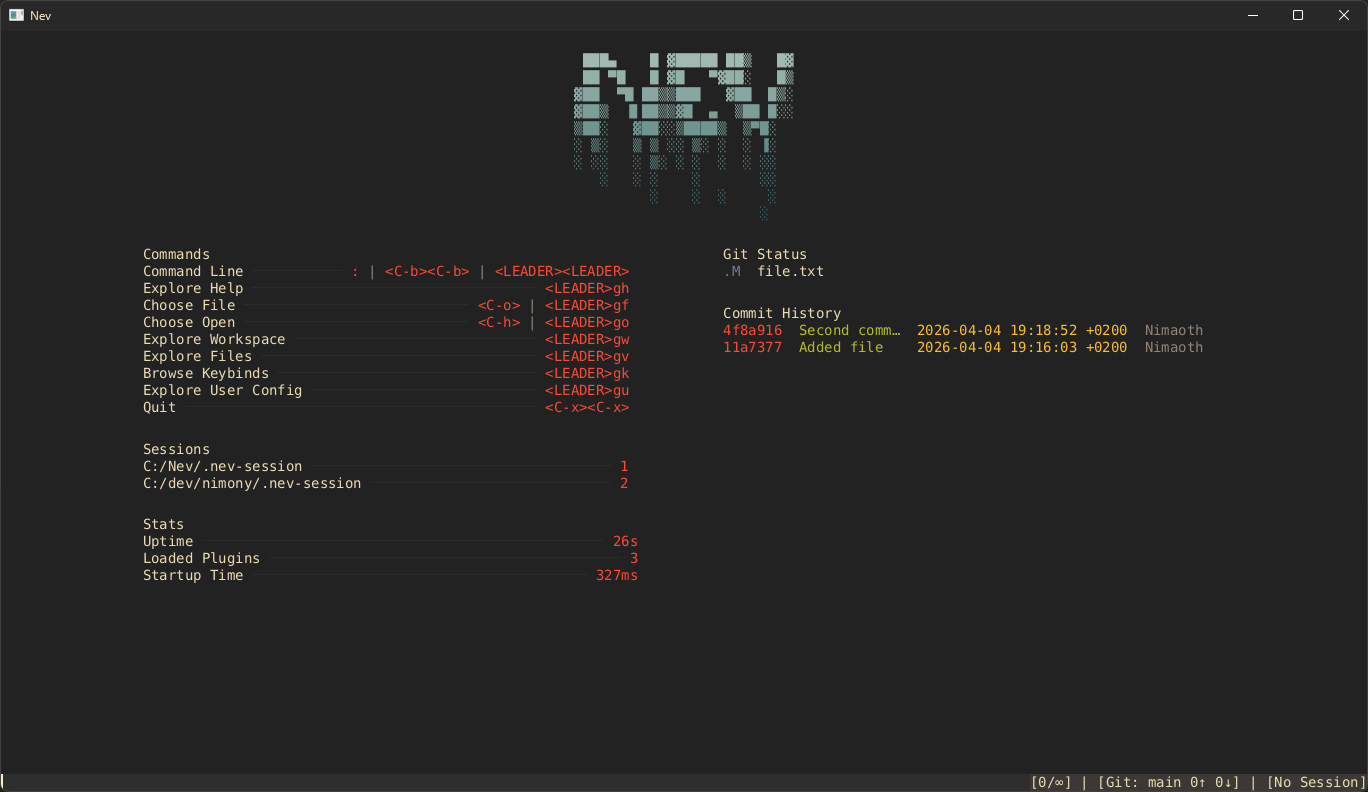
Nev is a fast, keyboard-driven text editor written in Nim that runs in the terminal and in a GUI. It combines ideas from Neovim, Helix, and Zed with builtin developer tools like Git integration, Treesitter syntax highlighting, LSP support, DAP debugging, and WASM plugins.
I’m developing Nev for fun and only work on it in my free time. Use at your own risk!
Table of Contents
- Features
- Why Nev?
- Supported Platforms
- Prerequisites
- Installation
- Quick Start
- Docs
- Showcase
- Contributing
- License
Features
- Vim motions
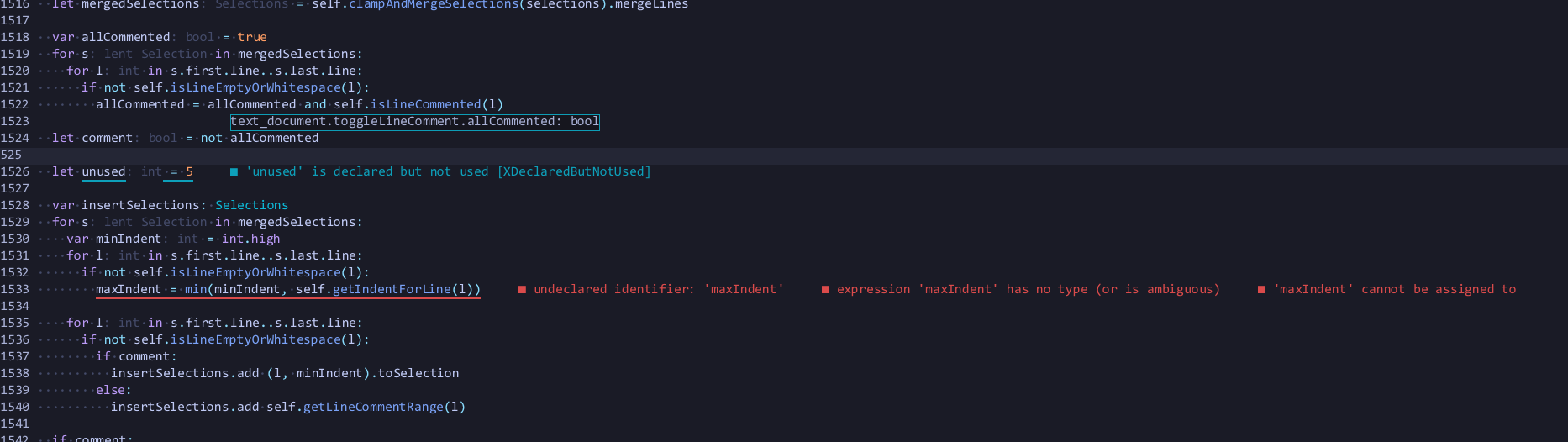
- LSP
- Syntax highlighting using Treesitter with support for nested languages
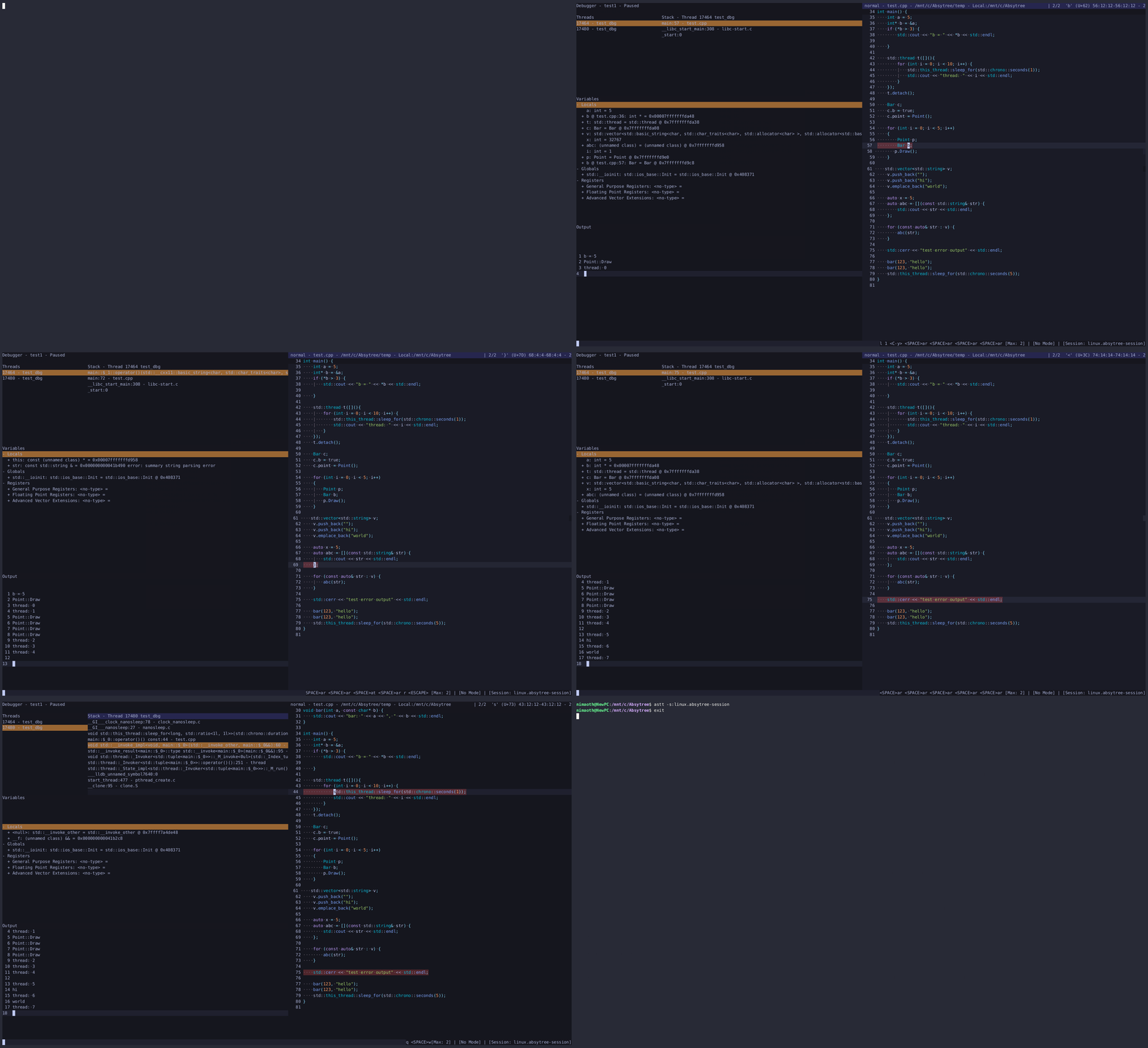
- Debugging using DAP
- Fuzzy search for various things
- Sessions
- WASM plugins
- Basic git integration (list/diff/add/stage/unstage/revert changed files)
- Builtin terminal emulator supporting multiple shells (e.g.
bash,powershell,wsl) - Flexible layout system
- Nice looking markdown
- Undo Trees
- And many more features…
Supported Platforms
- Windows
- Linux
Prerequisites
ripgrepto enable global search
Installation
Download the latest release or build from source.
Quick Start
Open a file or directory from the command line:
nev .            # Open the current directory
nev myfile.py    # Open a specific file
Check out the cheatsheet and getting started guide for more info.
Inspirations
Important notes if you intend to use it
- Nev currently only supports saving files as
UTF-8and without carriage return in line separators. - Language servers and debug adapters have to be installed manually at the moment; Treesitter parsers require Emscripten
Docs
- Getting started
- cheatsheet
- General docs
- Build from source
- Cheatsheet
- Configuration
- Keybindings
- Finders
- Plugin API
- Virtual filesystem
- Moves
- Treesitter
- Markdown
Showcase
Debugging
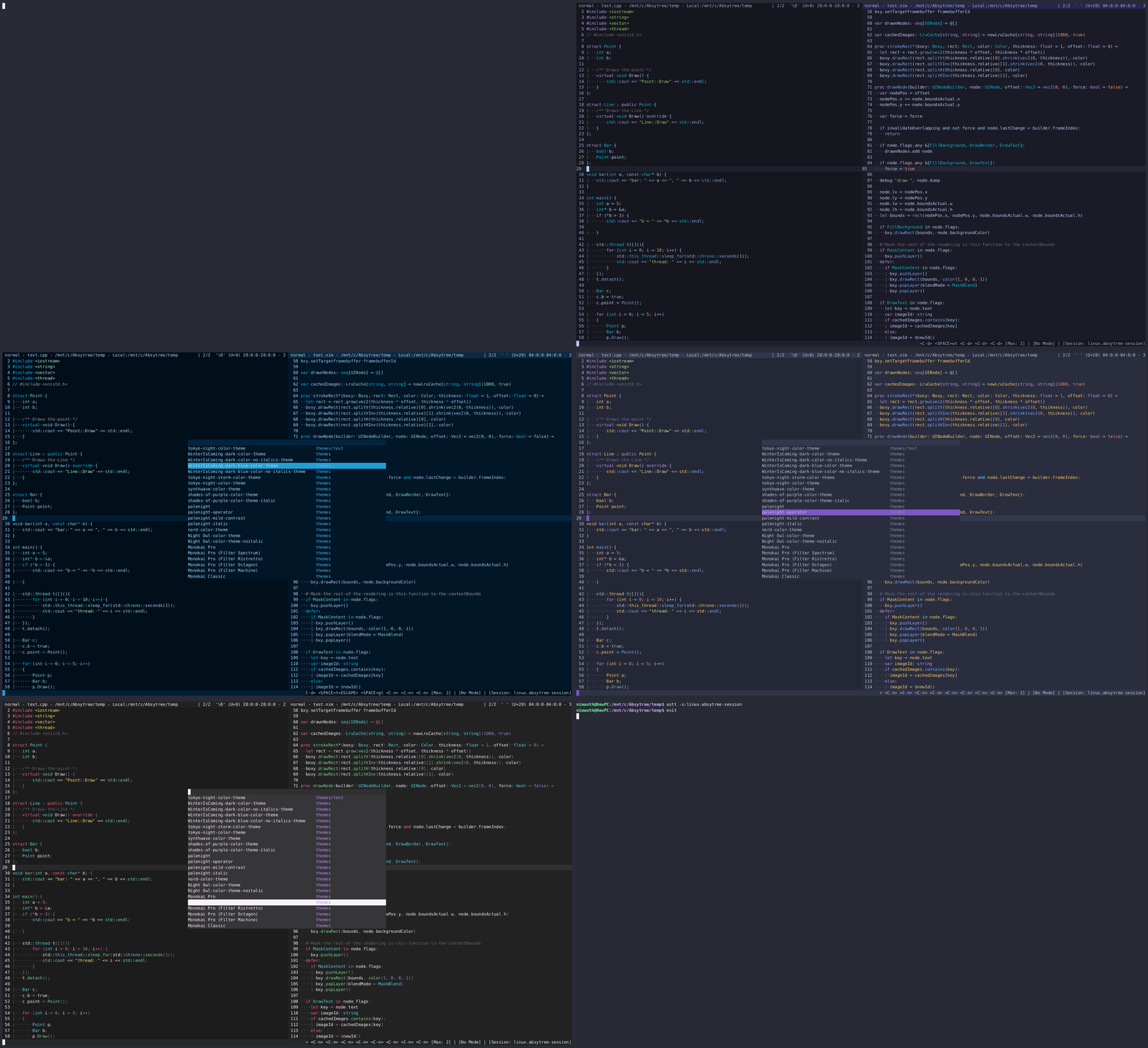
Themes
Diagnostics and inlay hints
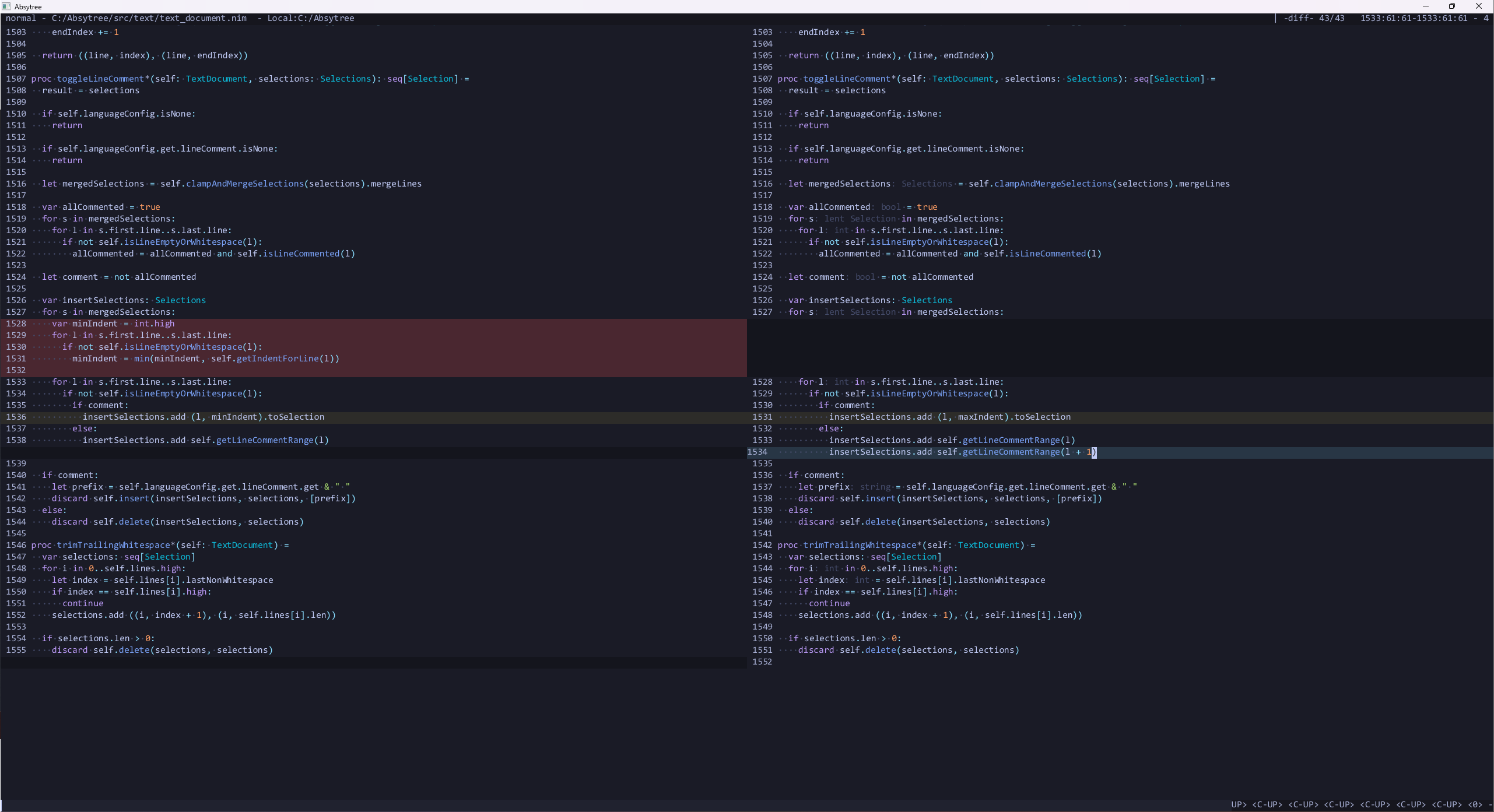
Diff View
Contributing
Nev is still relatively new, so many things are still missing or need improvement. If you want to contribute, check out CONTRIBUTING.md.
There is also a Discord server where you can ask questions.
License
This project is licensed under the MIT License.